Priority — a self-sorting Do / Plan / Delegate / Automate matrix
Priority sorts today’s goal items into four quadrants — Do now, Plan, Delegate, Automate — and it fills itself in. How and where you create a task decides its quadrant, so the matrix mirrors the shape of your day without you classifying a thing.
Do now
#priority:do Plan
#priority:plan Delegate
#priority:delegate Automate
#priority:automate - 1
It tags itself
Every task lands in a quadrant automatically, decided by how you made it. Start it today → Do now. Schedule it for a future day → Plan. @mention a person → Delegate. Kick it off with an agent → Automate.
- 2
Read the counts
Four scorecards up top tell you the shape of your day at a glance. A tall Do-now column before 9am is a warning, not a badge.
- 3
Work the quadrants
Tick items complete without leaving the matrix, or tap one to open the full goal editor — sub-tasks, contribution, reward and all.
- 4
Automate means automate
The fourth quadrant isn’t a graveyard. Recurring drudge work belongs in a routine with an agent attached — see chapter 04.
The matrix, in detail
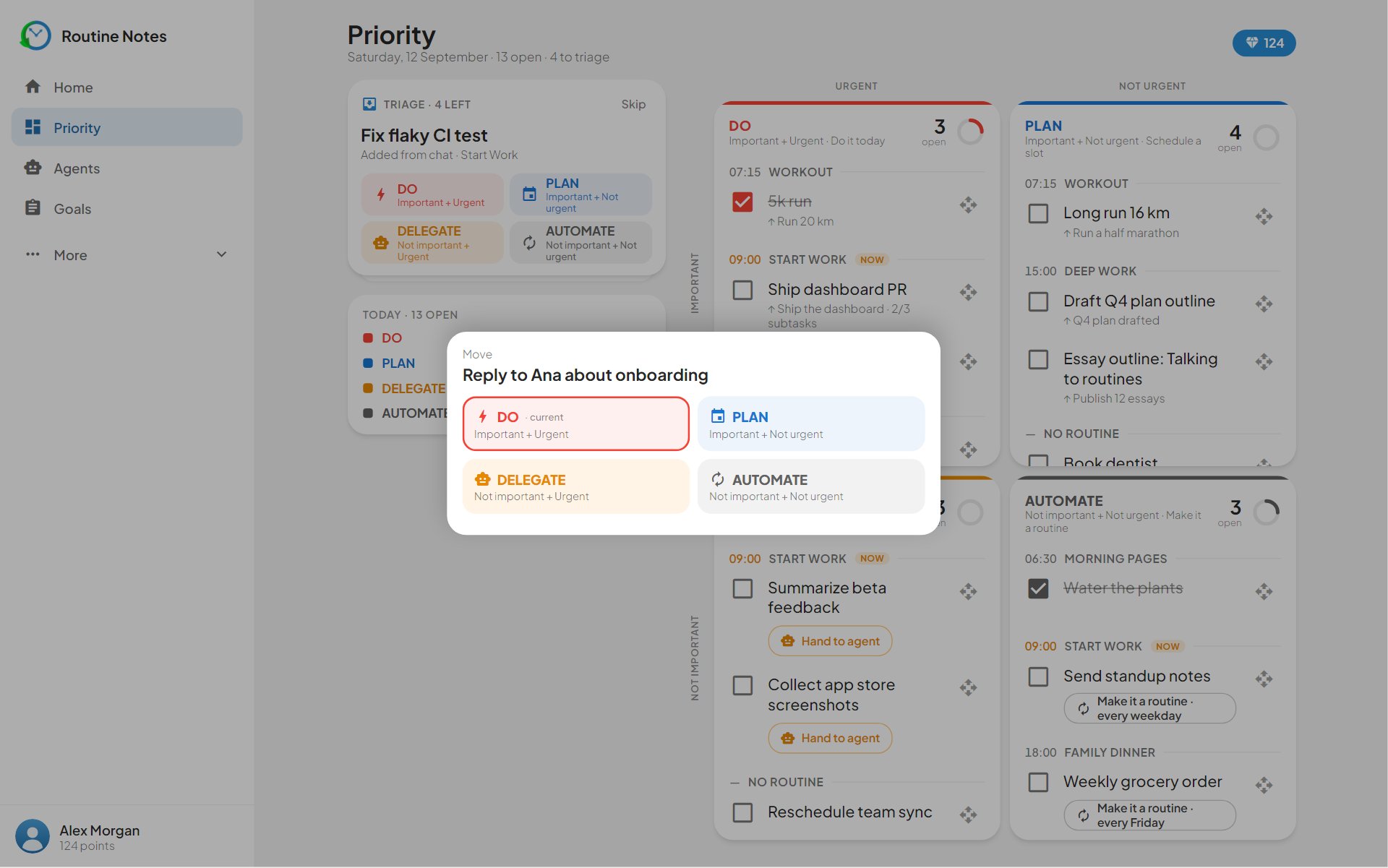
Four quadrants, straight from the app — each one a tag the app writes for you the moment a task is created.
-
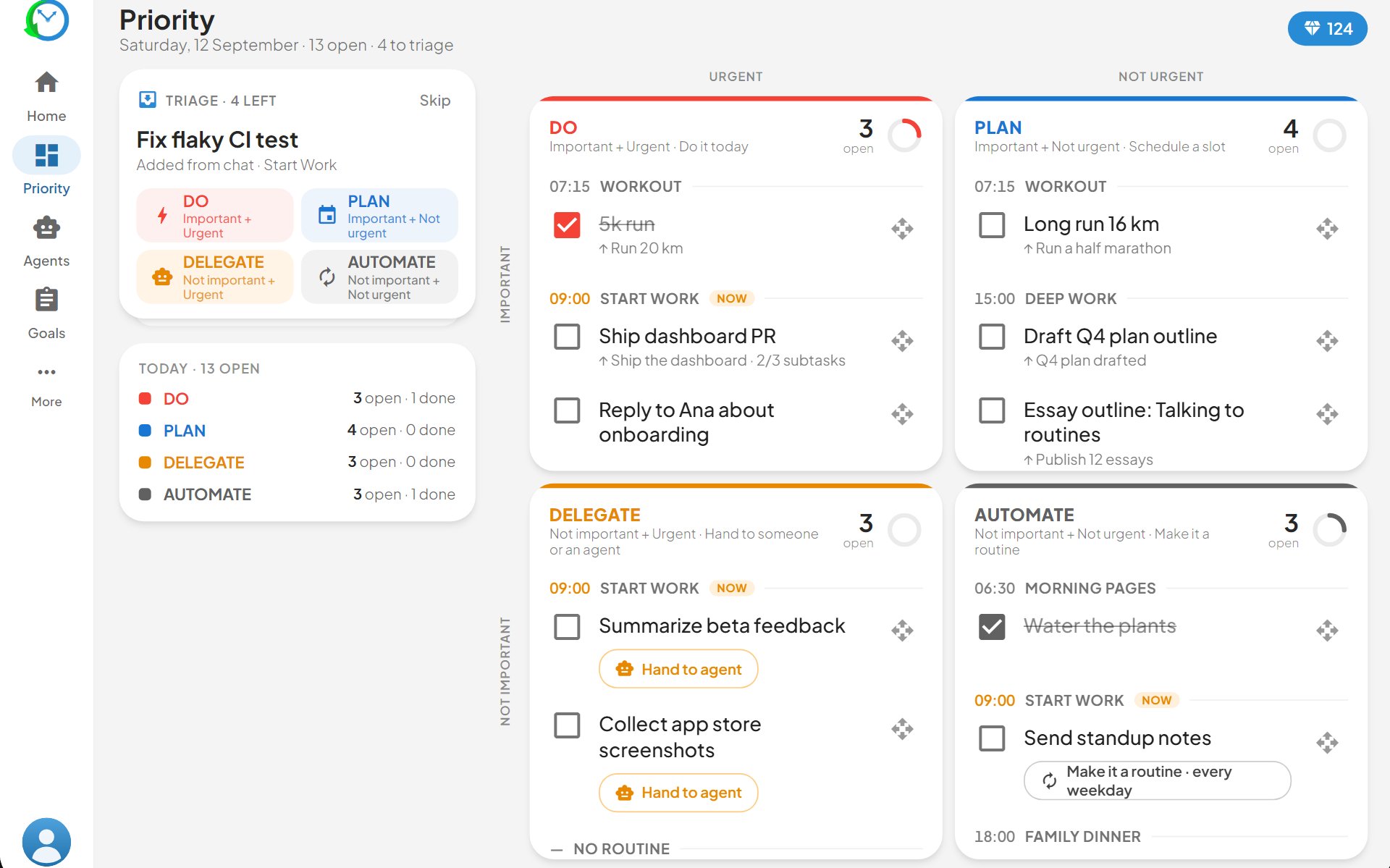
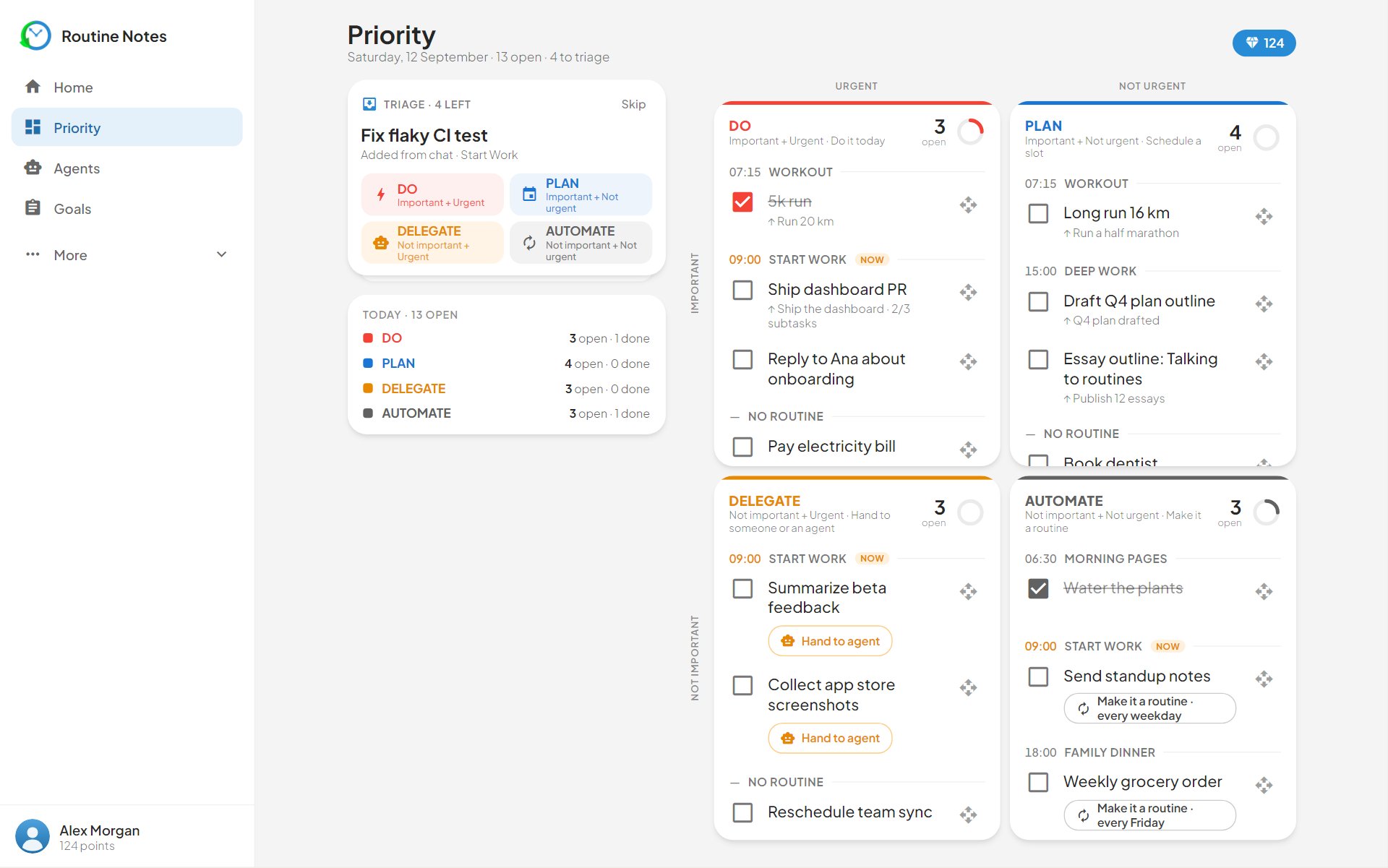
The scorecards read your day back to you: how much is on fire, how much is parked, what you’ve handed off, what a machine should own. If Do-now is tall before breakfast, today’s plan was written by yesterday’s procrastination.
-
You never pick a quadrant. Start a task today and it’s Do now; schedule it for a future day and it’s Plan; @mention a person and it’s Delegate; launch it with an agent and it’s Automate. Ticking an item complete happens right in the quadrant — the strikethrough is the day’s most honest chart.
-
Tap any item and the full goal editor slides up — sub-tasks, contribution notes, reward, tags. Change how the task is set up — move its date, @mention someone, attach an agent — and it re-files itself into the right quadrant on the next refresh.