Goals — the year → day cascade
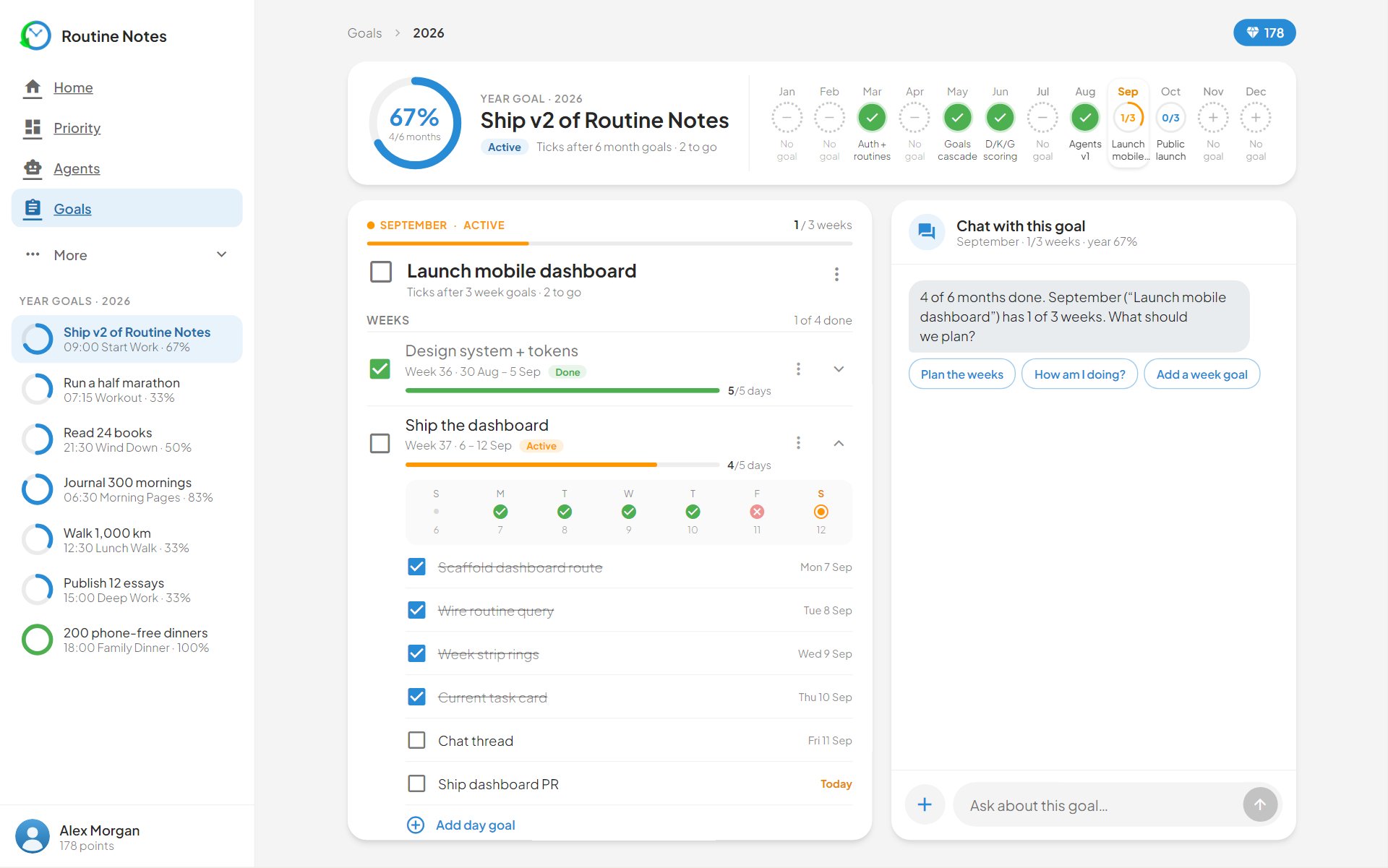
Goals turns one yearly ambition into month, week and day milestones — then rolls your daily wins back up. Five day wins auto-complete a week, three weeks a month, nine months a year.
- 1
Start at the top
Write the year goal first. It is allowed to be too big — the cascade exists to shrink it.
- 2
Break it down
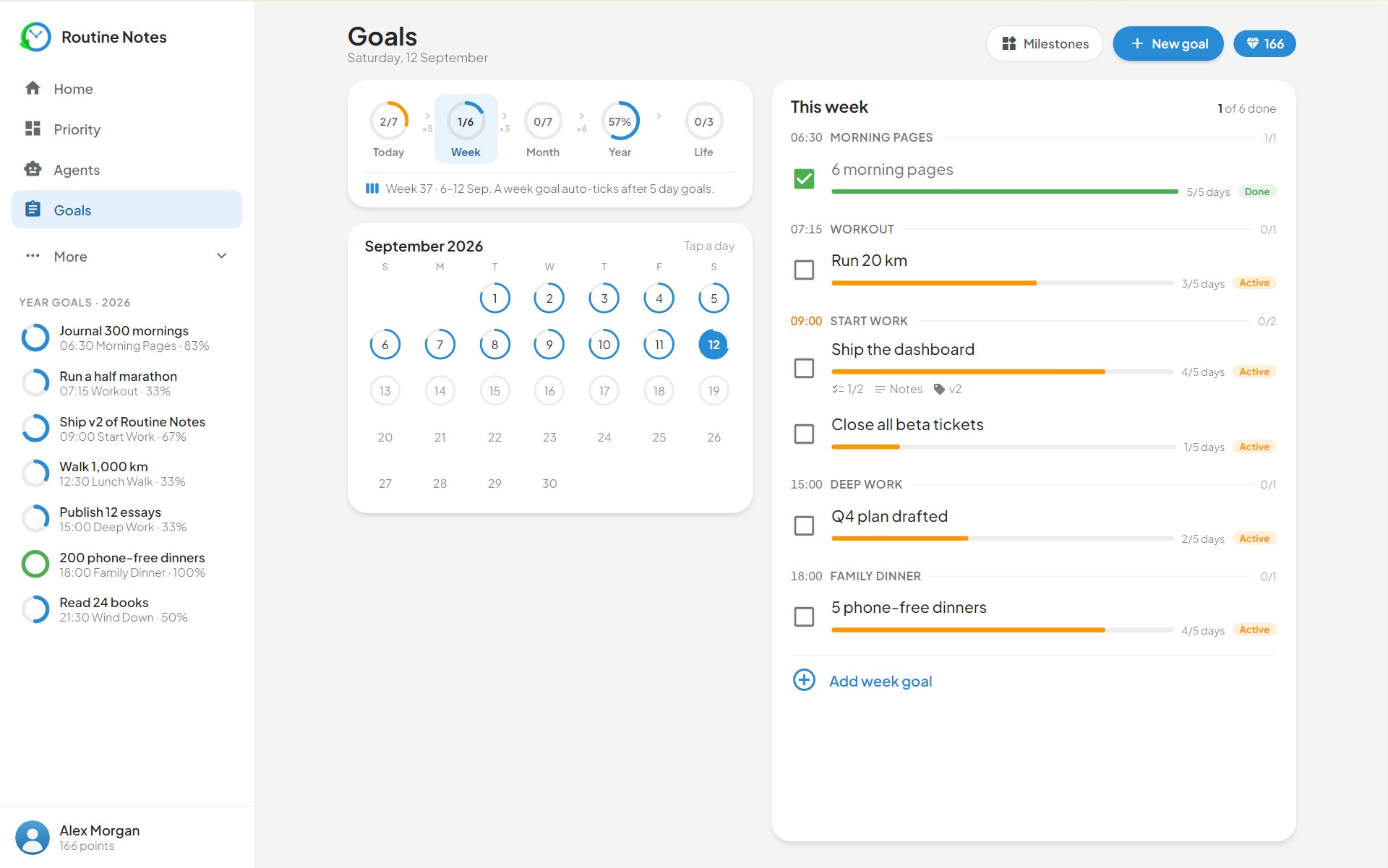
Month and week accordions hold milestones; each week milestone decomposes into day goals you can actually schedule.
- 3
Attach days to routines
A day goal linked to a routine shows up on the Dashboard card’s goal toggle — so the plan and the timeline are the same object.
- 4
Let wins roll up
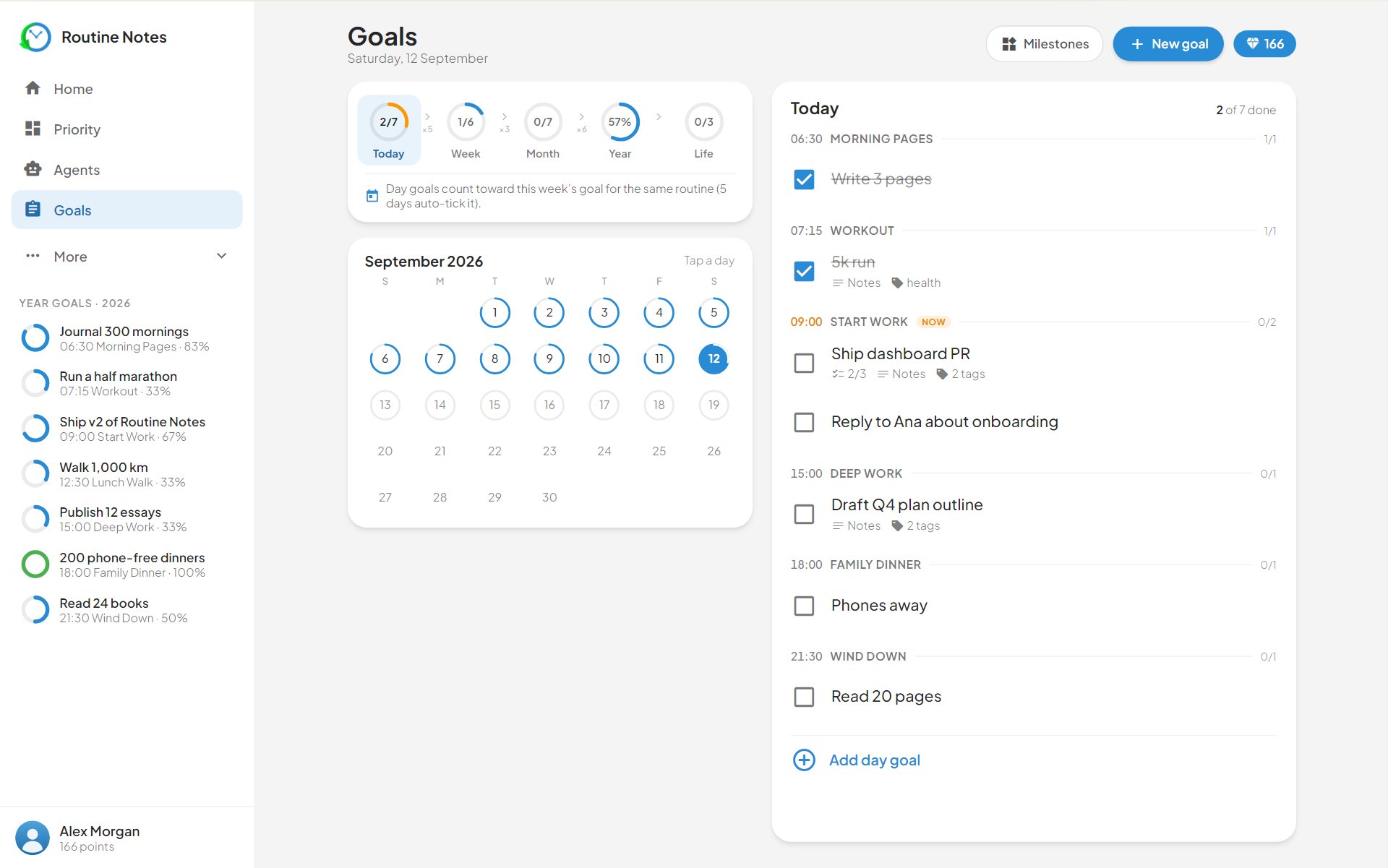
Complete the day goals and the parents close themselves. The calendar view shows every day’s goal count, so gaps are visible before they become months.
The cascade, in detail
One page holds the whole hierarchy — year at the bottom, today at the top, everything visibly connected.
-
The stats banner totals your day tasks and completions; the calendar prints each day’s goal count in its cell. A blank fortnight is impossible to miss — which is exactly the point.
-
Each week is an accordion. Open it and the milestones inside show their day goals — the same items you tick on the Dashboard, filed under the milestone they serve.
-
Below the weeks sit the month and year accordions. Complete the children and the parents close themselves: five day wins complete a week, three weeks a month, nine months a year. You never mark a year goal done — you arrive at it.